Photo Editing
Five Photo Editing Mistakes to Avoid: Learn What Professionals Wish They'd Known Earlier
Master the fundamentals of photo editing in Lightroom by understanding the five critical mistakes that hold back most photographers, from preset dependency to ignoring light.

Introduction
After years of frustrating editing sessions that produced muddy, boring results, many photographers eventually discover the same truth: editing is not about applying random adjustments and hoping something works. It is about understanding fundamental principles that separate amateur edits from professional work. These five mistakes hold back most photographers, but once you recognize and avoid them, your editing transforms from guesswork into confident, intentional work.
Mistake One: Over-Relying on Presets
When starting out, presets feel like magic. Download a free preset pack, apply it to a photo, and suddenly the image looks transformed. The problem is that this approach skips the most important step: learning what the adjustments actually do.

Presets become a crutch when you do not understand the underlying mechanics. You apply a preset because it looks good in one situation, but you cannot explain why it fails in another. This prevents you from building the instinct needed to edit with confidence. The slider movements, color shifts, and contrast changes remain a mystery.
The solution is to learn the tools first. Understand how exposure, contrast, and color work together before bringing presets back into your workflow. Once you grasp the fundamentals, presets become a supercharger rather than a dependency. You can modify them intelligently, knowing exactly what each adjustment contributes to the final image.
Mistake Two: Pushing Edits Too Far
Once you stop relying on presets and start editing manually, a new trap emerges: the temptation to push every slider to the extreme. Skies become nuclear blue, shadows turn pitch black, and every photo looks like it has been filtered through an Instagram effect from a decade ago.
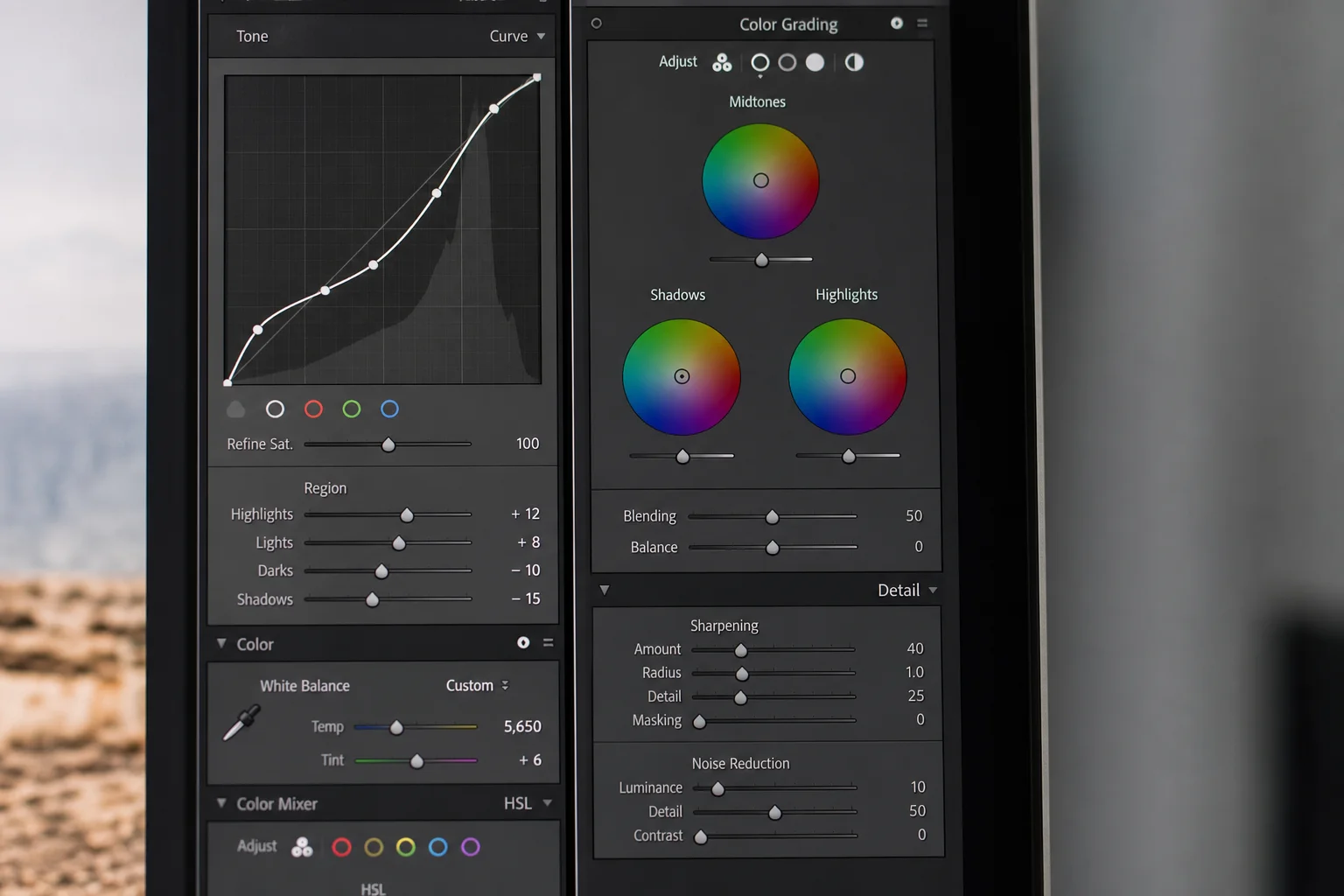
This happens because dragging sliders all the way creates immediate, visible change that feels like progress. The clarity slider is a notorious culprit. Move it to the right and the image suddenly looks sharper and more dramatic. But the result is often fake and heavy-handed.
Subtlety is what separates professional edits from amateur ones. Small, controlled changes add up to one cohesive result. Less is almost always more, unless you are deliberately pursuing a stylized look. The trick is to step away from the screen after finishing an edit. Take a break for a few minutes or even a full day. When you return with fresh eyes, it becomes immediately obvious whether you have gone too far or if the photo needs additional refinement.
Mistake Three: Editing Without Intent
Opening Lightroom and moving sliders around hoping something cool happens is a recipe for random, inconsistent results. One photo ends up warm and soft, the next cold and dramatic, with no clear direction connecting them.

The missing piece is intent. Before touching a single slider, pause and ask yourself: What do I want this photo to feel like? What is the subject? What should the viewer notice first? Do I want warm and nostalgic, cold and moody, or clean and modern?
Once you establish this emotional anchor, every editing decision becomes easier because you are shaping the photo to match your vision, not guessing. Even when experimenting, you have direction. This is the difference between wandering aimlessly and knowing where you are headed.
In practice, this means starting with a clear goal. If you want a cold, moody edit, you would remove greens and yellows, then push blue tones into the shadows and highlights. If you want warm and nostalgic, you would take a different path entirely. The specific adjustments flow from your intent, not from random exploration.
Mistake Four: Failing to Isolate the Subject
Even a great shot falls apart if the viewer does not instantly know where to look. This is where editing shifts from fixing mistakes to guiding the viewer’s eye.
Cropping is one of the simplest and most powerful tools. Tightening the frame removes distractions and makes the photo feel intentional. Masks are equally powerful. You can darken the background or foreground, lift exposure on your subject, or add subtle contrast in just the right places. These local adjustments give your photo focus and polish.
The goal is straightforward: the subject should be obvious even at a glance. Whether through careful cropping that aligns the subject with the rule of thirds or through masks that isolate it from distracting elements, your editing should guide attention directly to what matters.
Mistake Five: Ignoring the Light
The final and most critical mistake is fighting the light instead of working with it. You cannot fake light, but you can shape it. Instead of trying to force an overcast day to look like golden hour, ask yourself: What kind of light is actually in this image? Is it soft, harsh, or directional? Then use your edits to enhance it.
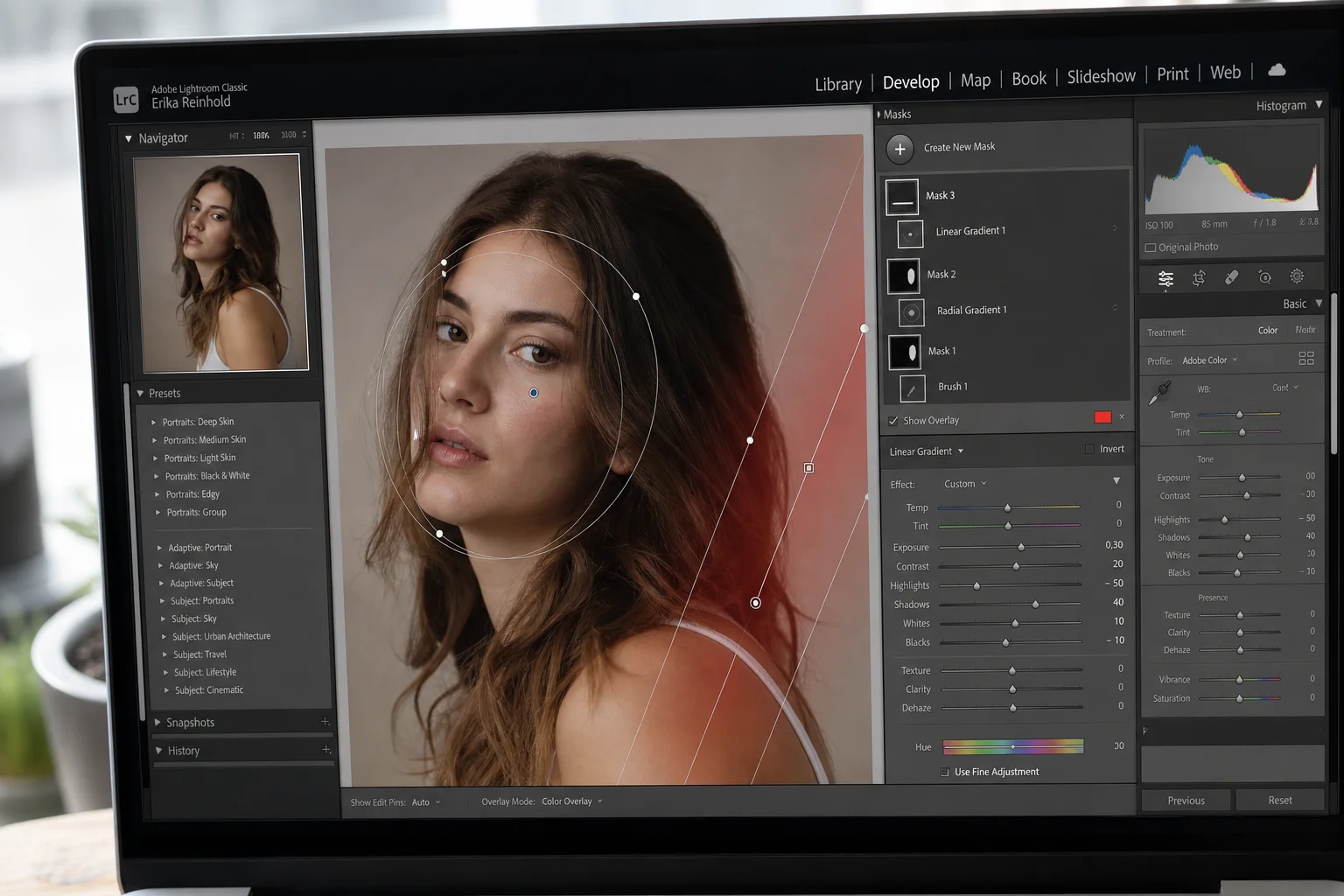
Masks are the key tool here. You can brighten areas where light would naturally fall, deepen shadows, or add subtle gradients for depth. The goal is not to invent new light from nowhere, but to support and refine the light that is already there.
A practical technique is to place a radial mask where the light source originates. If sunlight is coming from the upper left, place the mask there and reduce dehaze and clarity to create a subtle bloom effect. You can warm the temperature to suggest sunlight. This shapes the light and creates dimension without looking artificial.
By combining multiple masks, you take full control of the light direction and intensity. One mask might darken the foreground, another might brighten the subject, and a third might add a light beam effect in a specific area. Each small adjustment works together to enhance the existing light and create a three-dimensional, polished result.
Conclusion
Once you stop relying on presets, avoid over-editing, edit with clear intent, isolate your subject, and shape the light intentionally, editing stops feeling random. The process becomes methodical and your results become something you are genuinely proud of. These five principles form the foundation of professional photo editing.
Product link
View more details for Adobe Lightroom
This product is mentioned in the review. Check the specifications, options, and compatibility before buying.
View more details for Adobe LightroomFurther reading