Keyboards
NuPhy Air75 V2 Review: A Compact Wireless Mechanical Keyboard That Delivers
The NuPhy Air75 V2 combines premium build quality, hot-swappable switches, QMK/VIA customization, and a 1000Hz polling rate via USB dongle. A strong choice for typists and gamers seeking a compact 75% wireless mechanical keyboard.
Introduction
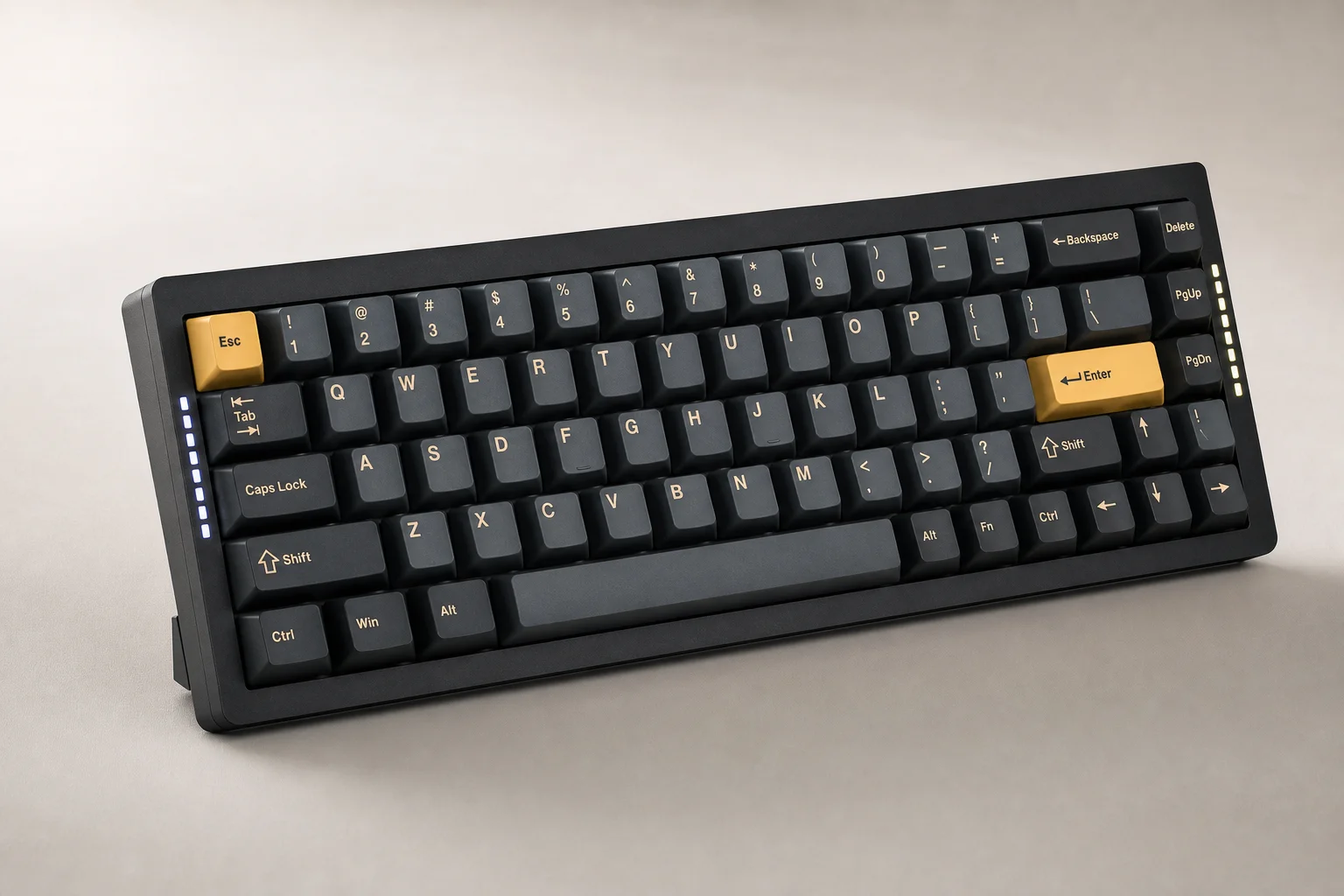
After six months of testing wireless keyboards from major brands including Logitech, Apple, and Keychron, the NuPhy Air75 V2 stands out as a genuinely compelling option. This compact 75% mechanical keyboard combines premium build quality, extensive customization options, and a critical upgrade in wireless polling rate that addresses a long-standing limitation in the category.
Design and Build Quality
The Air75 V2 maintains NuPhy’s signature minimal aesthetic with a pop of color. It arrives in three colorways: ionic white, basalt black, and lunar gray, each paired with accent keycap colors. The chassis feels solid with minimal flex despite using mostly ABS plastic with an aluminum top. The frosted bottom reveals the LED internals without looking cheap.
A significant improvement over the V1 is the addition of built-in adjustable feet with two levels of adjustability. The V1 relied on thin rubber strips and magnetic feet that were easy to lose. The V2’s feet are genuinely solid and eliminate the need for external solutions.
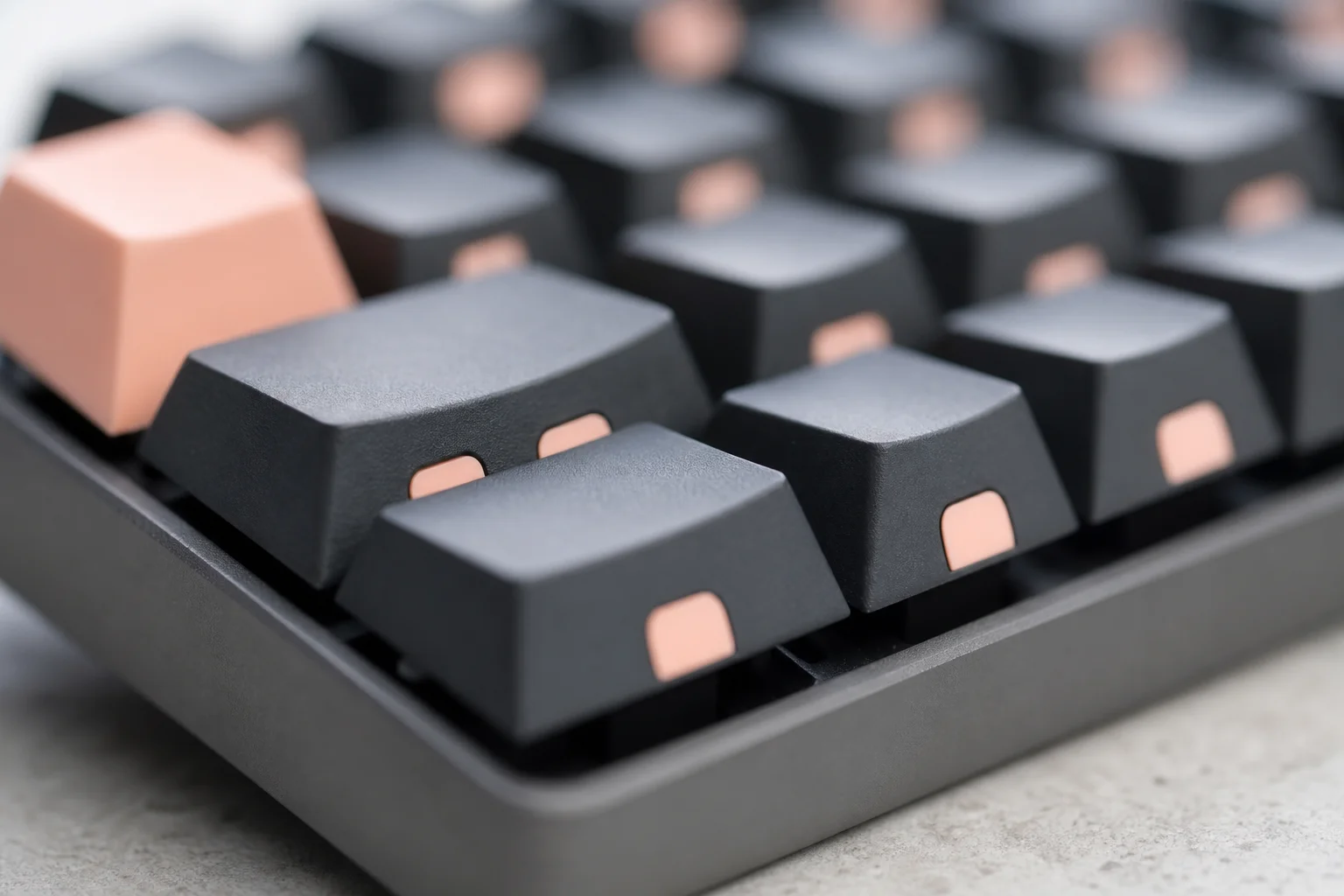
The keycaps are now double-shot PBT plastic instead of generic alternatives, making the printed text more durable and the overall feel more premium. Keycaps are easily swappable using the included puller, and NuPhy offers additional options including shine-through versions for LED backlighting.
On the side, you’ll find a Windows/Mac toggle switch, a power button that also toggles between wired and wireless modes, and a USB-C port for charging or direct cable connection.
Customization and Software
The V2 introduces QMK and VIA technology, allowing quick customization through a web interface without proprietary software. You can remap every key, adjust backlight effects, create macros, and set up layers to expand functionality. These profiles are open-source and portable to other QMK/VIA keyboards, avoiding the bloated software approach used by competitors like Logitech.
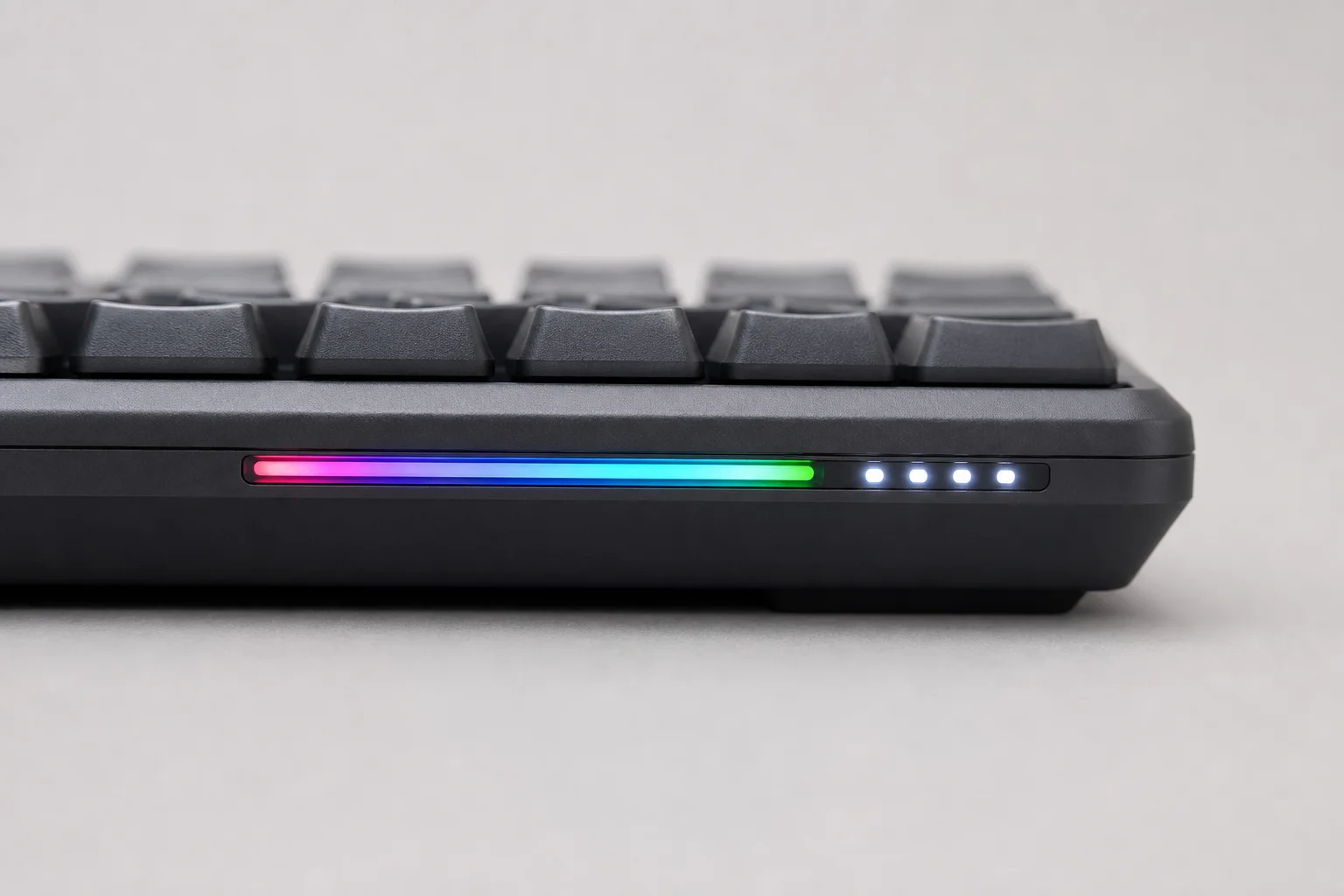
The keyboard includes LED indicators on both sides that serve practical functions. The left side displays different colors based on caps lock status and connectivity method (yellow for wired, blue for Bluetooth, green for 2.4GHz dongle). The right side shows battery levels, which you can also view via Mac OS Bluetooth settings or by pressing FN plus forward slash.
NuPhy offers switch options including Gateron low-profile 2.0 reds, browns, and blues, plus custom switches like aloe, calberry, wisteria, and moss. The keyboard is hot-swappable, so you can test the included switch samples and swap to your preference without tools.
Connectivity and Battery Life
The Air75 V2 supports three connectivity methods: Bluetooth (connecting up to three computers with instant switching via FN plus 1/2/3), a 2.4GHz wireless USB dongle, and direct USB-C cable connection. One minor drawback on Bluetooth is a one- to two-second wake-up delay after inactivity, though this is easily managed by pressing the spacebar to wake both keyboard and computer simultaneously.
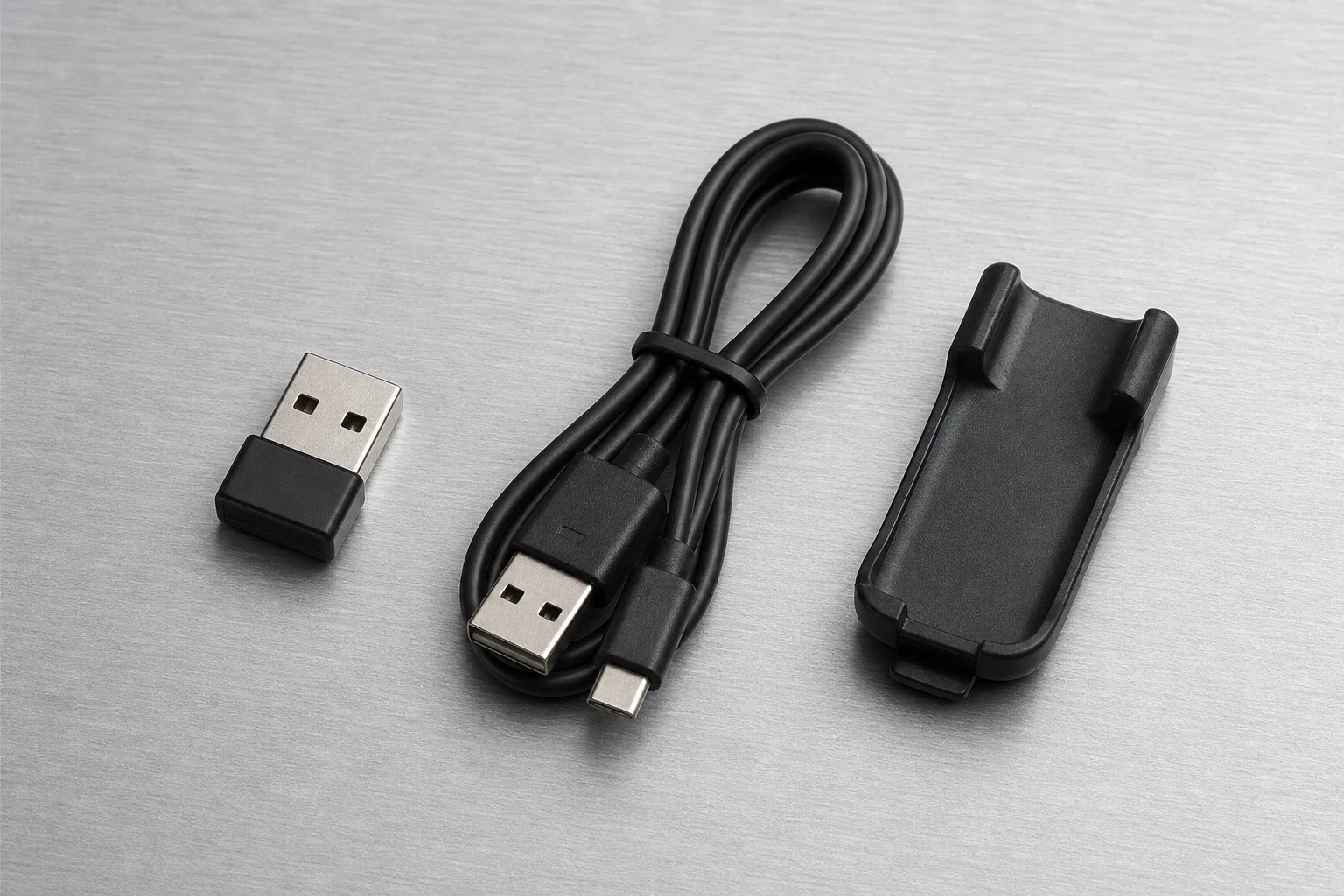
The most significant upgrade is the 2.4GHz dongle now delivering a 1000Hz polling rate, matching wired performance. This is a game-changer for gaming, where lower polling rates (the V1 was only 200Hz) can impact competitive performance. For typing and productivity, polling rate is irrelevant, but for games like Warzone or Overwatch where WASD movement and reload timing matter, the 1000Hz response eliminates the previous need to plug in a cable when gaming.
Battery capacity is 60% larger than the V1. NuPhy claims around 220 hours with the backlight off (roughly one month at eight hours daily) or about 55 hours with backlighting on. Turning off LEDs and using an external monitor light bar is a practical way to maximize battery life.
Typing Experience and Overall Assessment
The typing experience is genuinely solid. NuPhy has invested in sound-deadening material, lubed stabilizers, and the double-shot PBT keycaps to create a refined, non-clicky feel. The keycap surface area is slightly larger than competitors like Apple’s Magic Keyboard, which takes about a week to adjust to but ultimately feels more comfortable.
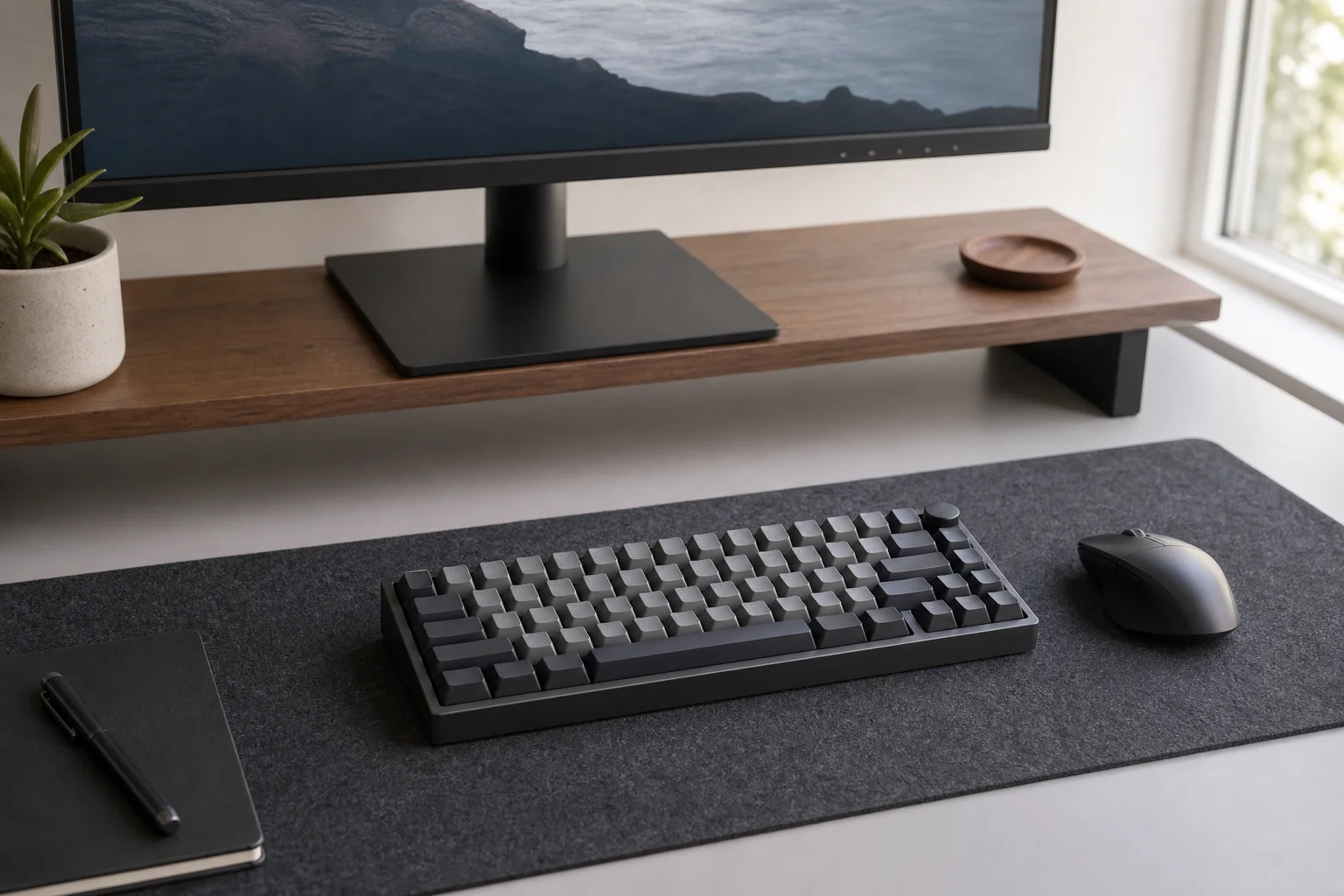
Function keys work perfectly with Mac OS for volume and brightness control. The 75% layout, while compact, doesn’t feel cramped once you adapt to the larger keycaps.
Priced at USD 119 (or USD 107 with a 10% discount code), the Air75 V2 undercuts most wireless mechanical alternatives. The Apple Magic Keyboard with Touch ID, Logitech MX Mechanical Mini, and Keychron K3 Pro are either more expensive or offer less functionality. The Air75 V2’s advantages include superior build quality, hot-swappable switches, QMK/VIA support, custom switch options, and that critical 1000Hz polling rate on the wireless dongle.
If you already own the V1, upgrading is worthwhile only if you need QMK/VIA support or the higher polling rate for gaming. For new buyers, the V2 represents exceptional value in the compact wireless mechanical keyboard space, solving the long-standing problem of having to plug in a cable to game competitively.
Conclusion
The NuPhy Air75 V2 delivers on its promise of being a best-in-class compact wireless mechanical keyboard. It balances premium typing feel, practical customization, solid build quality, and the critical 1000Hz polling rate upgrade that makes it genuinely usable for both productivity and gaming without compromise.
Product link
View more details for NuPhy Air75 V2
This product is mentioned in the review. Check the specifications, options, and compatibility before buying.
View more details for NuPhy Air75 V2Further reading
Related Reviews
Keyboards
Best Budget Keyboards on Amazon 2026: Six Solid Options Under $150
A practical roundup of six budget-friendly mechanical keyboards available on Amazon, each with real strengths and trade-offs worth considering before purchase.
Keyboards
Budget Hall Effect Keyboards Tested: Six Chinese Models Under $50 Compared
We tested six affordable Hall Effect keyboards priced under $50 to find which delivers the best value. Here's what we learned about build quality, software, and real gaming performance.
Monitors
Best Budget Monitors for Video Editing, Photo Editing, and Gaming: 8 Practical Options Under $500
Eight color-accurate monitors under $500 that balance editing precision with gaming performance, from entry-level 1080p to 4K OLED options.